APRS via ISS: start with status, not the transmit button
APRS via ISS is one of the most satisfying short-pass activities in amateur radio, but it is also easy to do poorly. The International Space Station is not a full-time APRS repeater under your control. The packet system may be active, silent, temporarily reconfigured, reserved for an ARISS school contact, affected by maintenance, or simply not hearing your station during a particular pass.
Before transmitting, treat every pass as conditional. The correct first question is not “What power should I use?” It is “Is the ISS packet system active right now, and what do the current status pages show?”
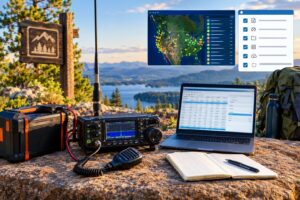
For 2026 operating, the most useful official starting points are the ARISS APRS status page, the AMSAT live digipeater satellites page, AMSAT SatDB, and the long-running APRS ISS FAQ. As of this writing, the ARISS APRS page showed recent RS0ISS packet activity on November 11, 2026, and AMSAT’s digipeater satellite list had been updated October 31, 2026. Those dates are useful clues, not a promise that the next pass over your grid will be active.
The frequency and mode to program
For normal ISS APRS packet operation, the widely used setting is 145.825 MHz FM, 1200 baud AFSK packet. This is the same basic audio-frequency-shift-keying packet format used by classic terrestrial VHF APRS, but the operating style is different because the ISS is moving quickly and the shared access window is short.
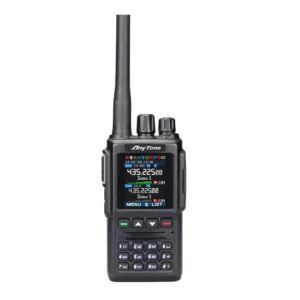
Most operators leave the radio on 145.825 MHz for the pass. Doppler shift exists on 2 meters, but at 1200 baud FM packet it is usually manageable with a fixed frequency, especially on a decent pass. If your equipment supports satellite memory channels and you know how to use them, fine; if not, do not let Doppler tuning become the reason you miss the pass. A properly configured TNC, sound-card modem, handheld APRS radio, or mobile APRS transceiver on 145.825 MHz FM is the practical baseline.
Use normal packet audio levels. Overdriven AFSK is a common reason for failure. If you are using a sound-card interface, set the transmit audio so the radio reaches normal deviation without clipping or sounding harsh. If your radio has a data connector, it may provide more consistent results than speaker/microphone audio, but either can work if adjusted carefully.
The correct APRS path for ISS packet
For APRS via ISS, the practical path to use is:
- ARISS
That is the key setting. Do not use terrestrial APRS paths such as WIDE1-1, WIDE2-1, or long multi-hop paths. They are not appropriate for the ISS digipeater and only add clutter or confusion. In many radios and TNC programs this field may be called “packet path,” “digipeater path,” “unproto path,” or simply “path.”
Your destination field may be set by the radio or software, often as APRS, CQ, or a device-specific APRS identifier. In most practical station setups, the path matters more than changing the destination field. If your manual or software profile has a known ISS/APRS satellite preset, verify that it uses ARISS and does not append terrestrial WIDE hops.
What a successful digipeat looks like
When the ISS digipeats your packet, you may see a received packet path containing the ISS station call sign with an asterisk, commonly shown in a form similar to RS0ISS*. The asterisk indicates the digipeater that repeated the packet. Exact display formats vary by radio, TNC, and web gateway, so do not rely on one visual style only. The important idea is that your packet came back through the ISS packet system, not merely that your own TNC transmitted something.
Which status source should you trust?
Status checking works best when you separate three different questions:
- Is ISS packet generally listed as active? Check ARISS and AMSAT status pages.
- Has the ISS packet station actually been heard recently? Look for recent RS0ISS packet activity on the ARISS APRS status page or other reputable APRS monitoring sources.
- Is the pass favorable from my location? Use a current satellite pass predictor with your grid square or coordinates.
If one page says the ISS packet system is active but nobody has heard packets recently, listen first and transmit sparingly. If a status page is stale, do not assume failure or success; use it as one input. If ARISS announces a school contact, SSTV event, maintenance period, or other configuration change, that takes priority over an old memory channel in your radio.
AMSAT’s live digipeater list is also useful because it reminds operators that the ISS is not the only packet-capable spacecraft. If ISS packet is off, another listed digipeater satellite may be active. However, each satellite has its own frequency, mode, and path requirements. Do not copy the ISS path blindly to another spacecraft unless the current documentation says to do so.
A one-pass workflow before you transmit
A good APRS via ISS attempt is planned in minutes, not improvised in the middle of the pass. Use this workflow before every attempt.
1. Check current operating status
Open the ARISS APRS status page and the AMSAT digipeater status page. Confirm that ISS packet activity is currently expected or has been recently observed. If the status looks uncertain, plan to listen only until you hear the ISS packet downlink.
2. Pick a pass worth using
Choose a pass with enough elevation to give your station a real chance. A very low pass can work from a quiet location with a good antenna, but a higher pass is far better for learning. For a first attempt, favor a pass with a maximum elevation above about 30 degrees if one is available. Enter your correct grid square or location in your pass-prediction software; a pass listed for another city may not match your horizon.
3. Program the station before AOS
Before acquisition of signal, set the radio to 145.825 MHz FM, configure 1200 baud packet, set the path to ARISS, and prepare a short position packet or concise message. Confirm your call sign and SSID are correct. If you use beacon text, keep it brief and noncommercial.
4. Listen first
At AOS, listen. You may hear packet bursts before your software decodes them. If you hear repeated ISS packets or see stations being digipeated, the system is active on that pass. If you hear nothing, avoid filling the channel with repeated blind transmissions. The ISS may be below your usable horizon, blocked by terrain, or not in packet mode.
5. Transmit sparingly near the best part of the pass
The shared channel can become congested. One or two well-timed packets are better than rapid beaconing. Transmit near the stronger part of the pass, often around mid-pass or near maximum elevation, unless you have a specific reason to try earlier. If your radio automatically beacons every minute on terrestrial APRS, disable that behavior for satellite work and send manually or with a conservative satellite profile.
6. Confirm after the pass
Do not assume success because your radio transmitted. Confirm that the packet was actually digipeated. Check your radio’s received packet list, TNC monitor window, local recording, second receiver, or APRS-IS-derived display. Look for your call sign associated with an ISS digipeater path such as RS0ISS being marked as used. If you only see your locally transmitted packet and no repeated path, it was not confirmed via ISS.
Station examples that can work
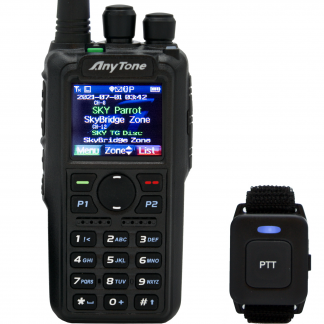
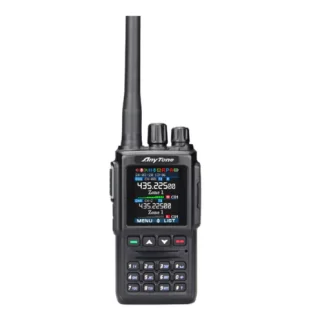
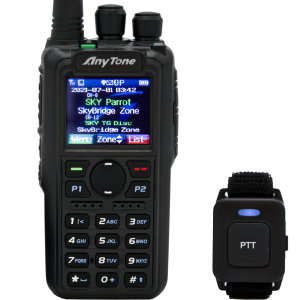
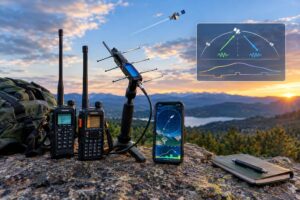
A handheld APRS transceiver with a stock antenna may decode strong passes, but it is not the most reliable uplink station. A better simple setup is a handheld or mobile VHF radio feeding a small directional antenna such as an Arrow-style handheld Yagi, an Elk log periodic, or another suitable 2-meter antenna. Even a modest antenna helps overcome path loss and body shielding.
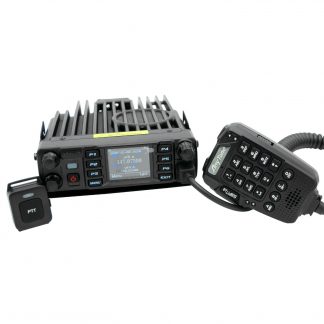
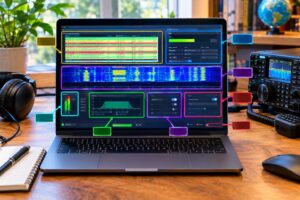
A mobile APRS radio at 25 to 50 watts into an outdoor vertical can work on favorable passes, but vertical antennas are not ideal at every satellite elevation angle. A sound-card TNC with a laptop and FM transceiver can also work well if transmit audio, receive audio, PTT control, and timing are configured before the pass.
Power is not a substitute for clean audio and good timing. Excessive power into a poor antenna can still fail, while moderate power into a properly aimed antenna can be effective. Use the minimum power that reliably supports communication and remains consistent with good amateur practice and RF exposure requirements.
Common reasons ISS APRS attempts fail
- The packet system was not active. The ISS radio may have been in another mode or unavailable.
- The path was wrong. Use ARISS, not WIDE paths.
- The pass was too low. Buildings, terrain, trees, and vehicle roofs can block VHF signals.
- The channel was congested. Too many stations transmitting at once can cause collisions.
- AFSK audio was overdriven or too low. Packet may sound present but fail to decode.
- The operator transmitted too often. Repeated beacons increase collisions and reduce everyone’s chance.
- The station never confirmed the downlink. Hearing yourself transmit is not the same as being digipeated.
Operating courtesy and regulatory reminders
In the United States, transmit only within your amateur license privileges and follow FCC Part 97 requirements, including station identification and noncommercial content. Operators outside the United States must follow their own national rules. Space station operation can also involve additional practical constraints, so current ARISS and AMSAT guidance should take precedence over old notes or saved radio memories.
Keep transmissions short. Avoid unnecessary bulletins, long free-text messages, unattended rapid beaconing, experiments that monopolize the pass, or attempts to use the ISS as an ordinary terrestrial APRS fill-in digipeater. Hundreds of operators may be within the footprint during a good pass, and the usable window may be less than ten minutes.
Also consider safety. If using a handheld directional antenna outdoors, stay aware of traffic, footing, weather, power lines, and trip hazards. For higher-power fixed or mobile stations, evaluate RF exposure, coax routing, grounding, and lightning protection as appropriate. Do not aim an antenna or manage a laptop while driving.
Quick checklist for APRS via ISS
- Check ARISS and AMSAT status before the pass.
- Use 145.825 MHz FM for normal ISS APRS packet operation.
- Set 1200 baud AFSK packet.
- Set the packet path to ARISS.
- Remove WIDE1-1, WIDE2-1, and other terrestrial APRS paths.
- Choose a favorable pass and know AOS, maximum elevation, and LOS.
- Listen first; transmit only if the pass and status make sense.
- Send one or two concise packets, not a stream of beacons.
- Confirm the digipeat by checking for an ISS-used path such as RS0ISS*.
- If it fails, change one variable at a time: status, pass elevation, antenna, audio level, or timing.
FAQ
Can I use my normal APRS beacon settings?
Usually not without adjustment. Terrestrial APRS settings often use WIDE paths and automatic beacon intervals that are unsuitable for the ISS. Create a separate satellite profile using ARISS as the path and conservative manual or infrequent transmission.
Do I need full-duplex operation?
Full-duplex reception is helpful because you can hear whether the ISS is active while transmitting or immediately afterward, but many APRS attempts are made with half-duplex radios. If you cannot hear your own digipeated packet, confirm after the pass through received logs, a second receiver, or reliable networked packet reports.
Should I transmit if I do not hear the ISS?
For routine operation, listening first is the better practice. If the status pages show recent activity and the pass is strong, a single carefully timed attempt may be reasonable, but repeated blind transmissions are poor operating practice.
What is the most important setting?
After confirming that ISS packet is active, the most important station setting is the path: ARISS. The next most important practical factors are clean 1200 baud audio, a usable antenna, and restrained timing.
Key takeaways
APRS via ISS is not difficult, but it rewards disciplined operating. Check live status first, program 145.825 MHz FM 1200 baud packet, use the ARISS path, pick a worthwhile pass, listen before transmitting, and confirm that your packet was actually repeated through the ISS. A single clean, well-timed packet is far more useful than a burst of hopeful beacons.