Why This Matters Now
For years, amateur satellite operators have treated Two-Line Element sets, usually called TLEs, as invisible plumbing. Download a file, refresh the tracking program, aim the antenna, compensate for Doppler, and work the pass. That routine has been reliable enough that many stations never look closely at the format behind the orbit predictions.
That habit is becoming risky. AMSAT and CelesTrak are now pointing operators toward General Perturbations, or GP, data formats because the satellite catalog is approaching a practical breaking point for older TLE-based workflows. The issue is not that satellite tracking is going away. The issue is that some older programs, scripts, import filters, rotator controllers, and logging add-ons assume a five-digit NORAD catalog number. New six-digit catalog numbers expected with the 2026 transition can expose those assumptions.
If your station depends on satellites for FM passes, linear transponder work, APRS digipeating, telemetry reception, school demonstrations, or portable rover operation, this is the time to check your software chain. The goal is simple: make sure your system can ingest modern amateur satellite GP data before a newly launched satellite fails to appear, imports with the wrong identifier, or silently breaks an automation script.
TLE, GP, and OMM in Plain Amateur-Radio Terms
A TLE is a compact, fixed-width text representation of orbital elements intended for use with the SGP4 propagation model. It is familiar, small, and widely supported. A typical amateur satellite tracking file contains the satellite name followed by two data lines. Many programs have used that format for decades.
GP data is the broader modern term used by CelesTrak for general perturbations element data. It can still describe orbits that are propagated with SGP4, but it is not limited to the legacy two-line text layout. CelesTrak documents GP data in several formats, including legacy TLE-style output and CCSDS Orbit Mean-Elements Message formats such as OMM in JSON, XML, KVN, and CSV representations.
For operators, the practical distinction is this:
- Legacy TLE files are easy to recognize and widely supported, but the fixed-column format carries old assumptions.
- GP/OMM feeds carry the same kind of orbital information in formats that are easier for modern software to parse reliably.
- JSON and XML OMM are especially useful for scripts, web tools, and station automation because fields have names instead of relying on exact column positions.
The key point is not that every TLE will instantly stop working. Many existing satellites will continue to track normally. The operational risk is that new catalog numbers and modern data handling may exceed what older import code expected.
The Six-Digit Catalog-Number Problem
Traditional TLE parsing grew up around a five-character satellite catalog number field. That worked when catalog numbers were below 100000. As the space object catalog grows, newer identifiers move beyond that range. A human can understand a six-digit number instantly; an old parser may not.
Common failure modes include:
- The program rejects the element set as malformed.
- The satellite imports but the catalog number is truncated.
- A script treats the number as text in one place and an integer in another, causing a mismatch.
- A rotator or Doppler-control workflow tracks the wrong stored object.
- A favorite “amateur.txt” import job succeeds but quietly skips the newest satellite.
For a casual visual prediction, an obvious missing satellite is annoying. For an amateur station with automated CAT control, azimuth/elevation rotators, scheduled telemetry captures, or SatNOGS-style receive workflows, it can waste an entire pass. Low Earth orbit passes are short. You may only have a few minutes above your local horizon, and the best part of the pass may be even shorter depending on terrain, antenna pattern, and polarization fading.
What Operators Should Audit First
You do not need to rebuild your satellite station in one weekend. Start by listing every place orbital data enters or moves through your system. Many failures occur between programs, not in the main tracking screen.
Check the obvious software first
- Your primary satellite tracking program
- Any mobile tracking app used in the field
- Rotor-control software or plug-ins
- Radio CAT-control and Doppler-correction tools
- Telemetry decoders that use catalog numbers to label recordings
- Logging software fields tied to satellite identifiers
Then check the hidden glue
- Batch files, shell scripts, Python scripts, cron jobs, or scheduled tasks
- Downloaded files renamed to fixed filenames such as amateur.txt
- Spreadsheets or station notebooks that use catalog number as a lookup key
- Web dashboards or station-status pages
- Portable-laptop copies that may not match the home-station setup
Look especially for anything that assumes the catalog number is exactly five digits. That assumption may appear in a regular expression, a substring command, a database field length, or a file format conversion step.
How to Move Toward Amateur Satellite GP Data
A clean transition has three parts: choose a feed, verify your software can parse it, and test the whole station workflow before you need it for a new launch.
1. Identify your current source
Find out where your program gets orbital elements today. It may use AMSAT, CelesTrak, a built-in default URL, or a manually downloaded text file. AMSAT’s Keplerian Elements page remains a central reference for amateur satellite operators, while CelesTrak provides extensive GP data access and format documentation.
2. Prefer a GP/OMM-capable path where available
If your software offers a choice between legacy TLE import and OMM/GP import, select the modern option and read the program’s documentation carefully. JSON OMM is often friendly to modern applications because fields are explicitly named. XML OMM may fit better in some enterprise or standards-driven tools. KVN is a readable key-value notation used in space-data contexts. CSV can be convenient, but it requires careful handling of column names and data types.
3. Keep legacy TLE only as a compatibility bridge
There is nothing wrong with using TLEs for existing tools that still require them, provided you understand the limitation. But do not let an old TLE-only import path be the only way your station can discover new satellites. If your main tracker cannot read GP/OMM, consider whether it is still being maintained and whether an update or alternate tool is available.
4. Test with the data format, not only the satellite
A common mistake is to test by confirming that familiar satellites still display correctly. That proves only that yesterday’s workflow still works for yesterday’s assumptions. A better test is to import the same source in the modern format, confirm object names and catalog numbers display as expected, and verify that the downstream functions still work: pass predictions, Doppler tuning, rotor pointing, and logging labels.
A Practical Station Migration Checklist
Use this as a practical weekend audit for a home or portable amateur satellite station.
- Inventory: List each computer, phone, tablet, and controller that stores orbital elements.
- Source: Record the exact current element source for each program.
- Format: Note whether each tool uses TLE, JSON OMM, XML OMM, KVN, CSV, or a proprietary import.
- Update method: Identify whether updates are manual, automatic, scheduled, or copied by hand.
- Catalog-number handling: Search scripts and filters for five-character or five-digit assumptions.
- Program maintenance: Check whether your software has current documentation mentioning GP, OMM, JSON, XML, or the catalog-number transition.
- End-to-end pass test: Run one prediction, one Doppler-control session, and one rotor-control session using the updated source.
- Backup: Keep a known-good configuration export before changing multiple tools.
Do not skip the backup. Satellite software setups often accumulate years of location settings, horizon masks, radio definitions, tone settings, transponder entries, and custom satellite groups. Save what works before modernizing it.
Example: A Small Station That Could Break
Consider a typical US amateur station used for FM satellites: a dual-band radio, computer-assisted Doppler correction, a handheld or small az/el antenna system, and a tracking program that downloads an amateur satellite element file. The operator also keeps a small script that extracts only favorite satellites into a shorter file.
The main tracking program may be updated and ready for GP data, but the script might contain a pattern that expects the satellite number field to fit the old TLE layout. When a newly launched satellite receives a six-digit catalog number, the script may skip it. The operator opens the tracker and assumes the satellite is not yet listed, even though the upstream data source is correct.
This is why the migration is not only about the visible app. Any station automation that touches element data should be reviewed.
Operational Habits for the Transition Period
During the transition, use a few conservative habits:
- Refresh elements before serious operating: Do this especially before scheduled telemetry reception, demonstrations, or portable activations.
- Compare more than one source when something looks wrong: If a new satellite is missing, check whether the issue is the source, the format, or your import path.
- Watch object names and identifiers: Temporary names, international designators, and catalog numbers may be updated as objects are identified after launch.
- Document your working feed URLs: Future troubleshooting is easier when you know exactly what changed.
- Avoid hardcoding fragile assumptions: Treat catalog numbers as identifiers that may grow, not as fixed five-digit integers.
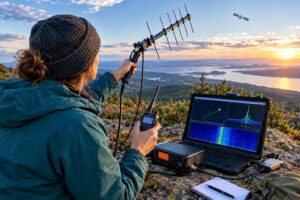
For portable operators, update and verify before leaving home. A mountain, park, or school event is the wrong place to discover that a tablet app still depends on an obsolete import file.
Safety and Regulatory Notes
Changing orbital data formats does not change your amateur-radio obligations. You are still responsible for operating within your license privileges, using appropriate frequencies and modes, identifying properly, and following applicable rules. In the United States, consult current FCC rules and accepted band-plan guidance; outside the US, consult your national regulator and local amateur-radio organizations.
Also remember the physical side of satellite work. If you are turning antennas outdoors, maintain safe clearance from power lines, use secure mast practices, consider trip hazards from feed lines and control cables, and follow RF exposure requirements. Automated tracking is convenient, but moving antennas still deserve attention around people, pets, and obstacles.
Frequently Asked Questions
Do I have to stop using TLEs immediately?
No. Many current workflows will continue to function for existing satellites. The concern is future compatibility, especially with new catalog numbers and software that assumes the old fixed-width TLE limitations. Treat this as a planned migration, not a panic.
Is GP data different orbital physics?
For normal amateur tracking use, the important change is the data representation and delivery format. GP data can still be used with SGP4-style propagation. The operator-facing benefit is more robust handling of identifiers and fields than old fixed-column TLE parsing.
Which format should I choose: JSON, XML, KVN, or CSV?
Use what your software supports best. JSON is often convenient for modern scripts and applications. XML is structured and widely supported. KVN is readable and common in space-data contexts. CSV can work well for tables but requires careful type handling. The worst choice is an unsupported format that forces you into fragile manual conversions.
What if my favorite program only supports TLE files?
Check for updates first. If none are available, you can continue using it for compatible objects while planning an alternative. Be cautious with converters and scripts; they may preserve old limitations unless deliberately written for larger catalog identifiers.
Key Takeaways
- Amateur satellite GP data matters because new six-digit catalog numbers can break older TLE assumptions.
- The weak point may be your script, plug-in, logger, or rotor-control bridge—not just the main tracker.
- GP/OMM formats such as JSON, XML, KVN, and CSV are better suited to modern software workflows.
- Test the complete station chain before relying on it for a new satellite pass.
- Keep backups and document your working sources before changing a stable setup.