Why a Post-Upgrade Audit Matters
An AREDN 4.26.10 mesh audit is not just a software housekeeping task. For an emergency data mesh, the upgrade is only successful when routes form as expected, essential services are reachable, configuration backups exist, and the power plan survives realistic off-grid operation. AREDN lists version 4.26.10.0 in its news archive as an Oct. 29, 2026 release, and its current documentation places strong emphasis on selecting the correct release and handling firmware carefully. That is a useful reminder: firmware installation is the beginning of validation, not the end.
This guide assumes a practical amateur-radio mesh used for emergency and public-service communications: several RF nodes, perhaps a few device-to-device links, some LAN-connected services, and at least one site expected to run from battery or solar power. It does not assume that any specific served agency, club, or repeater group uses the same design. Treat the steps below as an audit framework and adapt them to your topology, privileges, and local rules.
Start With a Clean Inventory
Before checking routes or services, make a written inventory of the mesh as it should exist. This prevents a common failure mode: accepting whatever the node status page shows without knowing whether it is correct.
- Node identity: call sign-based node names, physical locations, device models, and antenna descriptions.
- Firmware state: version installed, whether it was a stable release, nightly build, or locally compiled image.
- Interfaces in use: RF, LAN, WAN, tunnel, and device-to-device links if applicable.
- Expected neighbors: which nodes should see each other directly over RF or wired mesh links.
- Expected services: chat, file server, PBX, camera snapshot service, mapping server, Winlink-related gateway service, or other local resources.
- Power source: utility, battery, solar charge controller, generator, DC plant, or PoE injector.
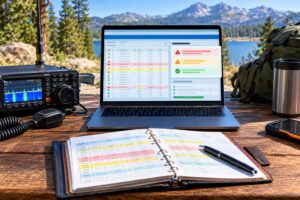
Keep the inventory independent of the live mesh. A spreadsheet, plain text file, or printed worksheet is fine. In an emergency, a paper copy can be more valuable than an unreachable documentation server.
Confirm Firmware and Release Selection
AREDN documentation separates firmware selection from installation for good reason: the wrong image can leave a node unusable, and the wrong release choice can make troubleshooting harder. Verify each node’s model, target platform, installed AREDN version, and whether the upgrade completed cleanly. If a node was upgraded from an older release, note whether settings were preserved or reapplied manually.
Useful sources for checking current project information include the AREDN documentation, the AREDN news archive, the firmware guidance at Downloading Firmware, and the public AREDN GitHub repository. Use official sources rather than copied image files or old forum links.
Audit question
Can you explain exactly what release each node is running, why that release was chosen, and how you would reinstall or recover the node if the configuration were lost?
Check Babel Routing From the Operator’s Point of View
In a Babel-only mesh, the routing protocol is responsible for selecting paths through the network based on the information it receives from neighbors. Your goal is not to tune mysterious metrics by guesswork. Your goal is to confirm that the live routing behavior matches the physical design and mission needs.
For each important node, open the AREDN status or mesh status view and compare what it reports with your inventory. Look for direct neighbors, reachable remote nodes, and the path used to reach them. A healthy mesh should show expected neighbors and plausible next hops. A suspicious mesh may show missing neighbors, unexpected detours, or routes that rely on a single weak site no one planned to use as a backbone.
- Direct neighbor check: A node with line of sight to another node should normally show that neighbor if channel, bandwidth, SSID, and RF conditions are correct.
- Path sanity check: A route from a field site to a command-post node should not take an unexpected multi-hop path if a stronger planned path exists.
- Single point check: Identify any node whose failure would isolate a large part of the mesh.
- Interface check: Confirm whether traffic is using RF, wired device-to-device links, tunnels, or LAN/WAN paths as intended.
Do not assume that “reachable” means “ready.” A node may be reachable with poor throughput, excessive latency, or an undesirable path. For emergency data, predictable behavior usually matters more than impressive-looking coverage.
Run Practical Reachability Tests
After the route table looks reasonable, test from the user side. Use ordinary client devices connected to the mesh in the way operators would actually use them. If an emergency communicator will plug a laptop into a LAN port, test from that LAN. If a field team will connect by Wi-Fi access point attached to a mesh node, test from that access point.
- Ping important nodes by mesh name and by address where appropriate.
- Open service URLs from another node’s LAN, not only from the server’s own node.
- Test name resolution so operators are not forced to memorize IP addresses.
- Transfer a small file across a representative path if file sharing is part of the plan.
- Check latency-sensitive services such as VoIP separately from simple web pages.
Record the result in simple terms: pass, fail, intermittent, or not required. Avoid overstating a single test. One successful file transfer does not prove the mesh will perform under a full incident load, but it does reveal whether the basic path and service are usable.
Verify Advertised Services
Service advertisements are helpful only when they are accurate. A stale link to a retired server wastes time during an activation. A missing advertisement can hide a working resource from operators who need it.
For each advertised service, confirm the service name, node, protocol, port, and actual function. Use plain, operational names. “County EOC Forms” is more useful than “Web Server 2.” If a service requires credentials, local policy, or a specific browser behavior, document that separately and keep sensitive information off amateur-radio links when required by law and policy.
- Keep essential services visible: status page, shared forms, incident map, local chat, time source, and documentation server if used.
- Remove stale services: retired cameras, test servers, old PBX entries, and broken links.
- Prefer local dependencies: critical documents should remain available if the internet is unavailable.
- Label nonessential items: experiments should not look like incident-critical resources.
Remember that amateur radio rules restrict certain types of traffic. In the United States, operators must comply with FCC Part 97, including rules on encryption, business communications, control, identification, and permissible content. Technical capability does not automatically make a use lawful or appropriate.
Back Up Configurations Before You Need Them
A good mesh audit includes recovery. If a node fails, is replaced, or must be reset in the field, you should not rely on memory. Back up each node’s configuration after the upgrade and after any major setting change.
- Export node configuration using the supported AREDN method for that release.
- Save a support data file or diagnostic snapshot if available and appropriate.
- Record device model and firmware image needed for recovery.
- Store copies offline on a laptop, USB drive, or printed recovery worksheet.
- Protect sensitive details such as passwords according to your group’s security and legal requirements.
Use a consistent file naming scheme such as callsign-node-location-version-date. The exact format matters less than being able to find the correct file quickly while tired, cold, or working from a folding table in a parking lot.
Audit Off-Grid Power With Realistic Loads
Emergency mesh nodes often fail for ordinary electrical reasons: undersized batteries, voltage drop, marginal PoE injectors, loose connectors, or charge controllers that were never tested with the actual load. Start with the power draw of each device, including the radio node, switch, access point, VoIP adapter, server, and any cooling or monitoring equipment.
A simple planning estimate is watt-hours. If a 12-volt battery is rated at 20 amp-hours, its nominal energy is 240 watt-hours. Usable energy is less after battery chemistry, depth of discharge, temperature, inverter losses, and voltage conversion losses. If the mesh site draws 18 watts continuously, a perfect 240 watt-hour source would last about 13.3 hours. Real-world runtime may be significantly shorter, so build in margin and test safely.
- Measure or verify current draw under normal operation and during boot.
- Check voltage at the load, not only at the battery terminals.
- Label power paths so a volunteer can reconnect equipment correctly.
- Fuse DC circuits near the source using appropriate ratings.
- Protect outdoor equipment from water intrusion, strain, and accidental disconnection.
- Plan for charging from solar, generator, vehicle, or utility power without creating unsafe wiring.
Battery safety matters. Follow manufacturer guidance for lithium, lead-acid, and LiFePO4 batteries. Use proper chargers, avoid short circuits, protect terminals, and account for ventilation where required. Outdoor masts, cables, and elevated antennas also require attention to grounding, lightning risk, mechanical stability, and RF exposure compliance.
Look for Hidden Single Points of Failure
A route audit and a power audit often reveal the same problem from different directions: too much depends on one box. A mountain node, tower switch, tunnel endpoint, solar controller, or small server may quietly become the entire mesh’s weak link.
Review the system by asking what happens if each major component fails. If one relay node goes down, can the field still reach the command post? If the documentation server fails, do operators still have printed frequency plans and connection notes? If the solar site has three cloudy days, is there a battery swap plan?
- Critical node: isolate and document its backup path or spare hardware.
- Critical service: provide a secondary copy or printed fallback.
- Critical power source: define recharge, replacement, or load-shedding steps.
- Critical operator knowledge: turn it into a checklist before the incident.
Document the Audit in a Usable Format
The final product of an audit should be short enough to use and detailed enough to recover from failure. A practical packet includes a topology sketch, node inventory, service list, backup file locations, power budget, and a one-page startup checklist. Avoid burying essential steps in a long narrative that no one will read during deployment.
For each node, document: node name, location, firmware version, expected neighbors, IP information if needed, advertised services, power source, fuse rating, and backup file name. For each service, document: what it does, where it runs, how to reach it, and what to do if it fails.
Quick Post-4.26.10 Audit Checklist
- Confirm each node is running the intended AREDN release and correct firmware image.
- Verify expected Babel neighbors and investigate missing or unexpected routes.
- Test reachability from real operator client devices, not only from the node UI.
- Open every advertised service from a different mesh location.
- Remove stale services and rename vague entries.
- Export configuration backups and store them where they can be found offline.
- Check battery runtime estimates against measured load.
- Inspect PoE, fusing, connectors, weatherproofing, grounding, and cable strain relief.
- Identify single points of failure and write fallback actions.
- Keep regulatory, RF exposure, and local safety requirements in the operating plan.
FAQs
Does a successful firmware upgrade mean the mesh is ready?
No. It means the node appears to be running the new firmware. Readiness requires route checks, service checks, backups, power validation, and operator-facing tests.
Should I change routing settings to improve Babel behavior?
Do not tune settings casually. First confirm RF path quality, channel and bandwidth choices, antenna alignment, cabling, and expected topology. Routing symptoms are often caused by physical-layer or planning problems.
How often should an emergency mesh be audited?
Audit after firmware changes, hardware changes, major service changes, and before planned exercises or severe-weather seasons. A shorter monthly check is useful for fixed infrastructure.
Can AREDN carry any emergency data?
Not automatically. Amateur-radio operation is subject to licensing, identification, content, encryption, and jurisdiction-specific rules. Use appropriate non-amateur systems for traffic that cannot lawfully be sent over amateur radio.
Key Takeaways
- An AREDN 4.26.10 mesh audit should validate operation, not merely confirm installation.
- Babel route checks should match the real topology and mission plan.
- Service advertisements must be current, reachable, and understandable to operators.
- Backups and recovery notes are part of emergency readiness.
- Off-grid power planning must include measured load, voltage drop, fusing, runtime margin, and safe battery handling.